Each generation of technology seems to enable us to edge closer to using what the pros do for a smidgen of the cost. What used to require an Avid studio and monstrous computers ($$$$$) can now be done in Final Cut Pro on a Macbook ($$). Same for audio as well.
If you’re like me, you probably bought a headphone/microphone combo at some point to upgrade from the dollar store mic included with most computers. Today, I want to take a look at a kit that’s several levels above that, and won’t set you back too much.
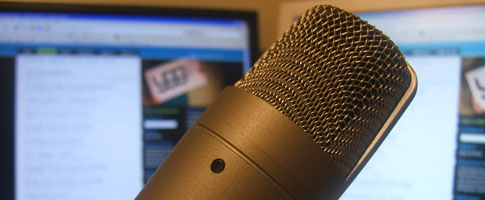
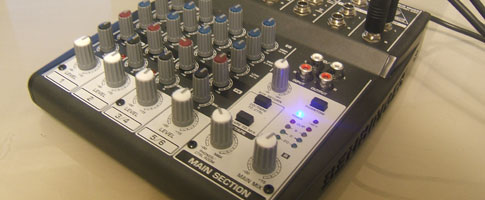
This kit is the Behringer Podcastudio (firewire), which I purchased a couple weeks ago. I figured an audio review of the studio would allow you to hear it for yourself and save me over an hour’s worth of typing.
This review is an intro for anybody looking to get into podcasting, personal recording, or uses voip on a frequent basis. As much as it’s a review, I cover all the essential elements you’ll need to setup your own cost effective recording studio.
I mention a couple of accessories in my review that are a must for any podcasters or voip-a-holics. One of which is a “pop filter“. I’ve yet to receive mine from eBay, so please excuse the plosives (louder Ps and Bs).
You can find the Behringer Podcastudio (firewire) at American Musical Supply, where I purchased it, and Musician’s Friend (coming soon).
If you have any questions about podcasting, need help deciding on a kit or setting one up, send me an e-mail and I’ll try and provide some tips (travis {at} younggogetter {dot} com).
Here’s my review, and a few pictures of the kit:
[audio:http://www.younggogetter.com/interviews/podcastudio_review.mp3]
Here’s the mp3 if you can’t see the audio player.
 RSS
RSS
Pingback: Apple’s video guide to producing a successful podcast -- Young Go Getter